Changelog

Follow new updates and improvements to DEMA.

OpenAI Ads & faster lists

Connect OpenAI Ads

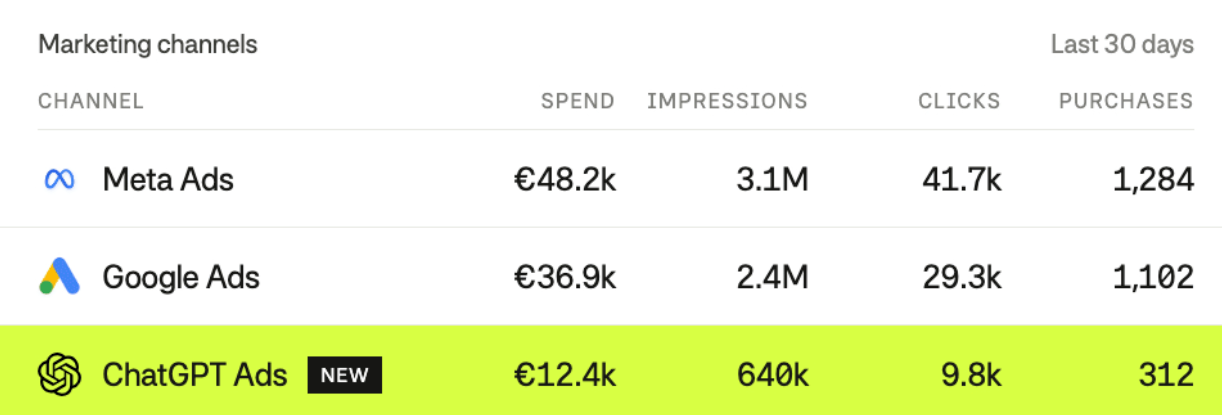
ChatGPT Ads is now a marketing integration in Dema. Spend, impressions, clicks, purchases and attributed sales come in next to Meta, Google, TikTok and the rest of your channels, and product-level costs are supported for product-feed campaigns. Setup takes one API key from OpenAI Ads Manager, added under Integrations. See the setup guide here.
Edit product-set rules, not just add them

Agents could already create rules in a product set. Now they can change an existing rule too, filters, label, description, expiry or position, and remove one that no longer belongs. Ask for "make the sale rule expire on Sunday" and it edits in place instead of stacking a new rule on top. Saving rules on large catalogues is faster as well, and no longer times out partway through.

Fifty custom product attributes

Products can now carry up to 50 custom attributes, up from 20, and every one of them is available as a taxonomy dimension. If there are metafields or product data you couldn't bring in before, ask your Customer Success Manager to map them.

Incrementality tests that survive funnel changes

Test are now pinned to the campaigns they are set up with, not the funnel label. This allows funnel labels to be updated more frequently without affecting historical tests. Improvements to suggested test setups have also been added to align ordering of the setups with the agent. So "suggestion 3 of 15" means the same thing when you share it with a colleague and when an agent refers to it.

More from Rule

The Rule integration now reads from Rule’s v3 API as well. Agents can list every campaign instead of the latest 100, so older sends are reachable, and can see your automations with their triggers and status. Delivery stats for campaigns, automations and A/B tests are available too.

Faster lists everywhere

Lists of conversations, apps, agents and skills used to take long to open on accounts with a lot of them. Optimization improvements have been added and they now load close to instantly, however large the account.
Easier on the eyes, easier on the thumbs

Open an app beside the conversation

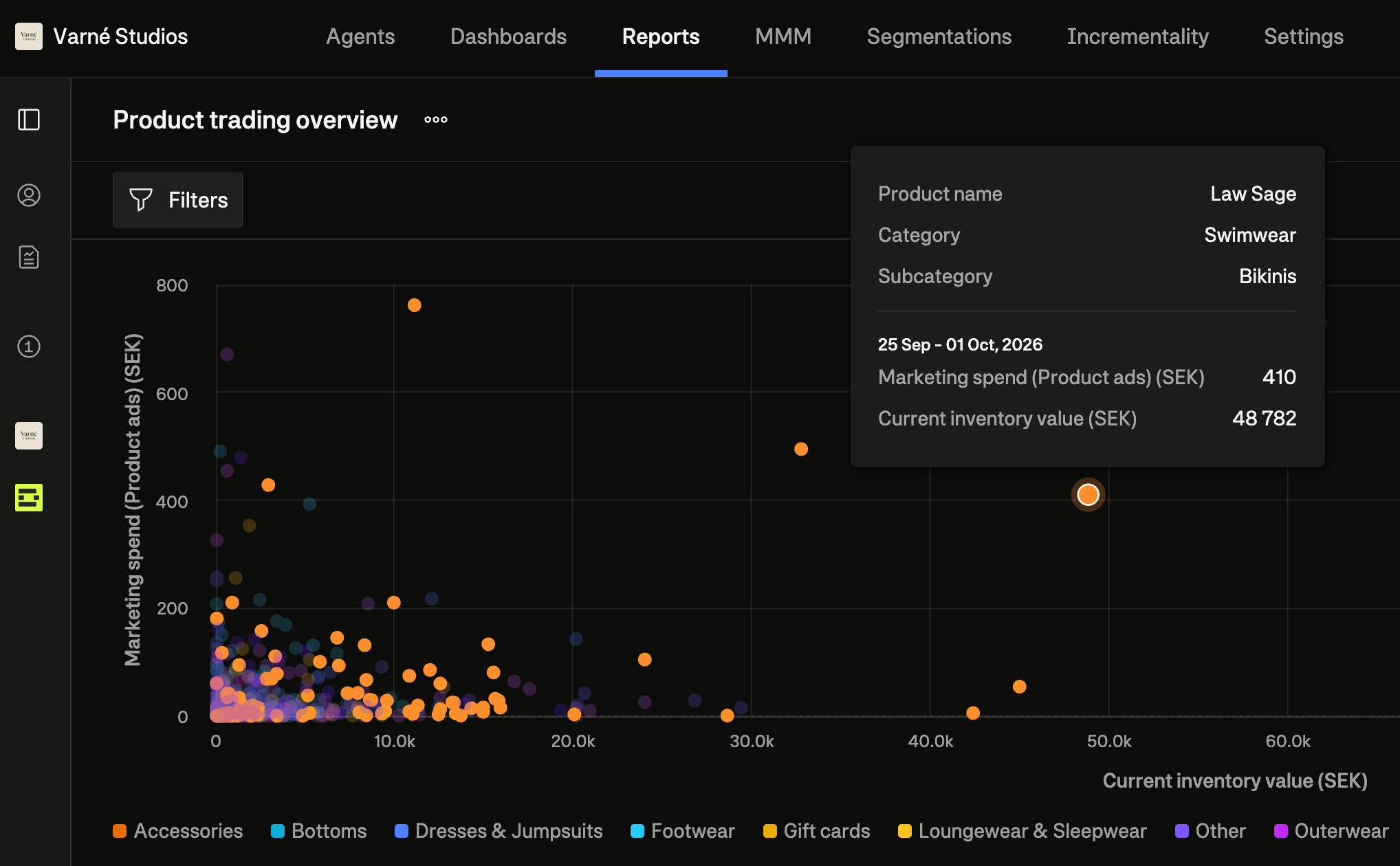
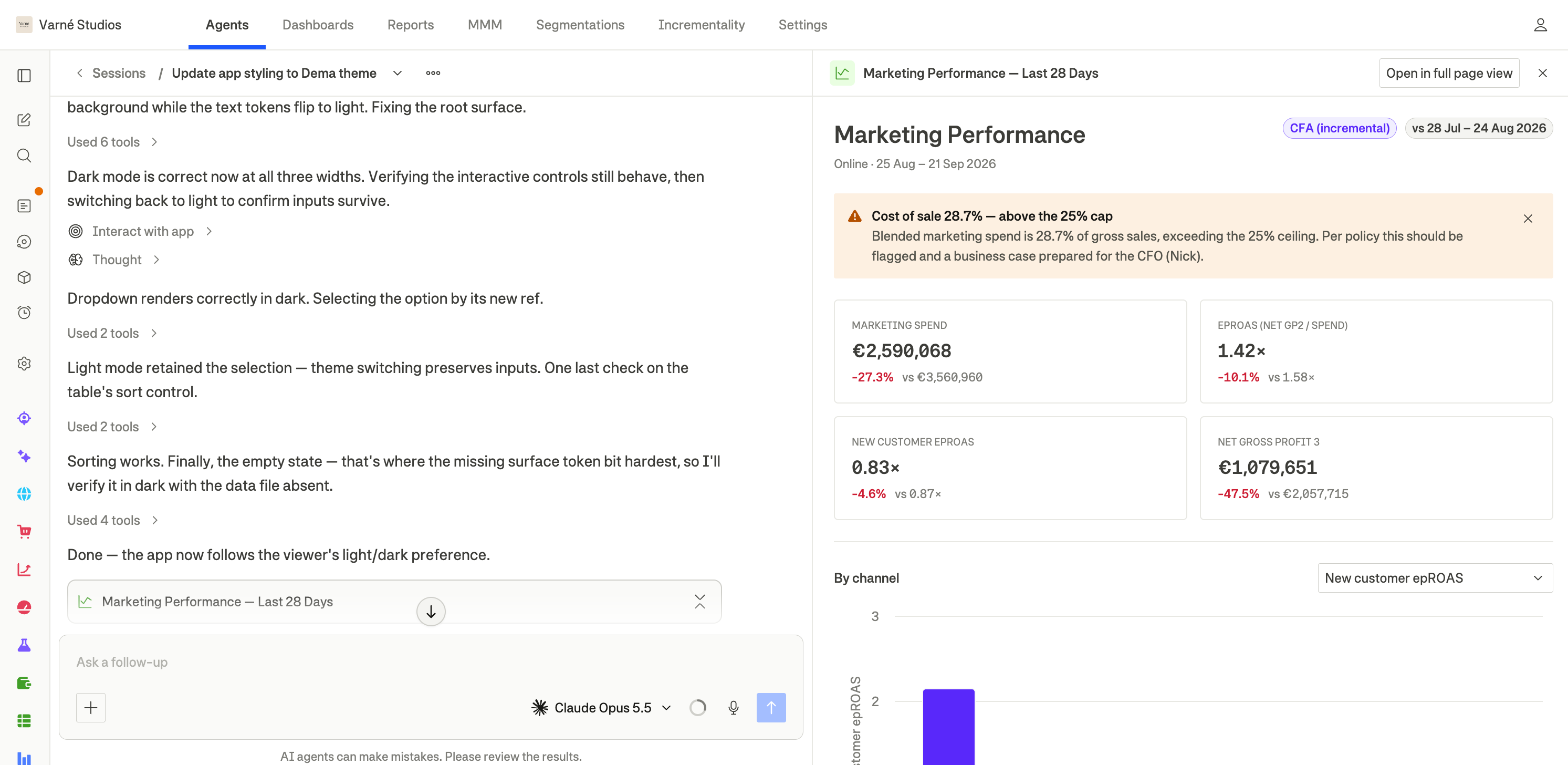
Apps now open in a panel next to the chat, so you can follow the thread and use the app at the same time. Ask the Agent for a change and the app updates in place. Your filters, selections and anything you’d typed into it stay where they were.


Switch Dema to dark mode

Dema has a dark theme, and it is on for every account. The app follows your device by default, so it turns dark when your laptop does. To choose for yourself, open Settings > Account > Profile, and pick System, Light, or Dark under Appearance.

Dictate a message instead of typing it

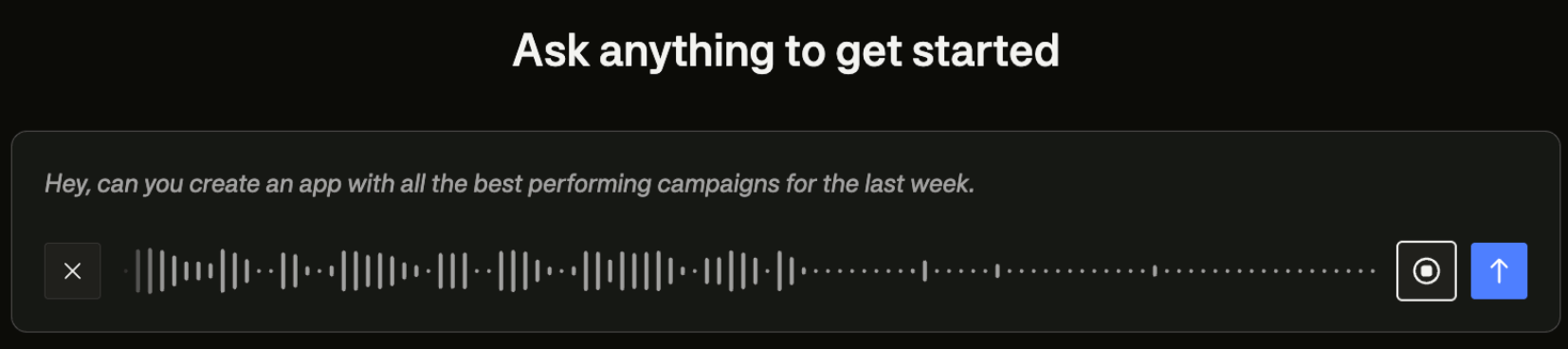
You can now speak to the Agent. A mic button sits in the conversation input, and what you say appears as muted text trailing whatever you had already typed, with a waveform underneath so you can tell the microphone is picking you up. It understands English, Swedish, Norwegian, Spanish, Italian and French, and it knows Dema's own vocabulary, so terms like MMM and CFA come out right.

The first use asks your browser for microphone permission, and where the browser or your operating system has it blocked, the button tells you which setting to change.

See what your competitors are running

Your agents can now search the Meta and TikTok ad libraries. Point one at a competitor, and it can pull the ads they are running, then compare those angles against your own inventory. You can also ask an agent to keep a running ledger of what each competitor tries, so new angles show up as they appear. Coverage is limited to ads shown in the EU.


Run incrementality tests across countries

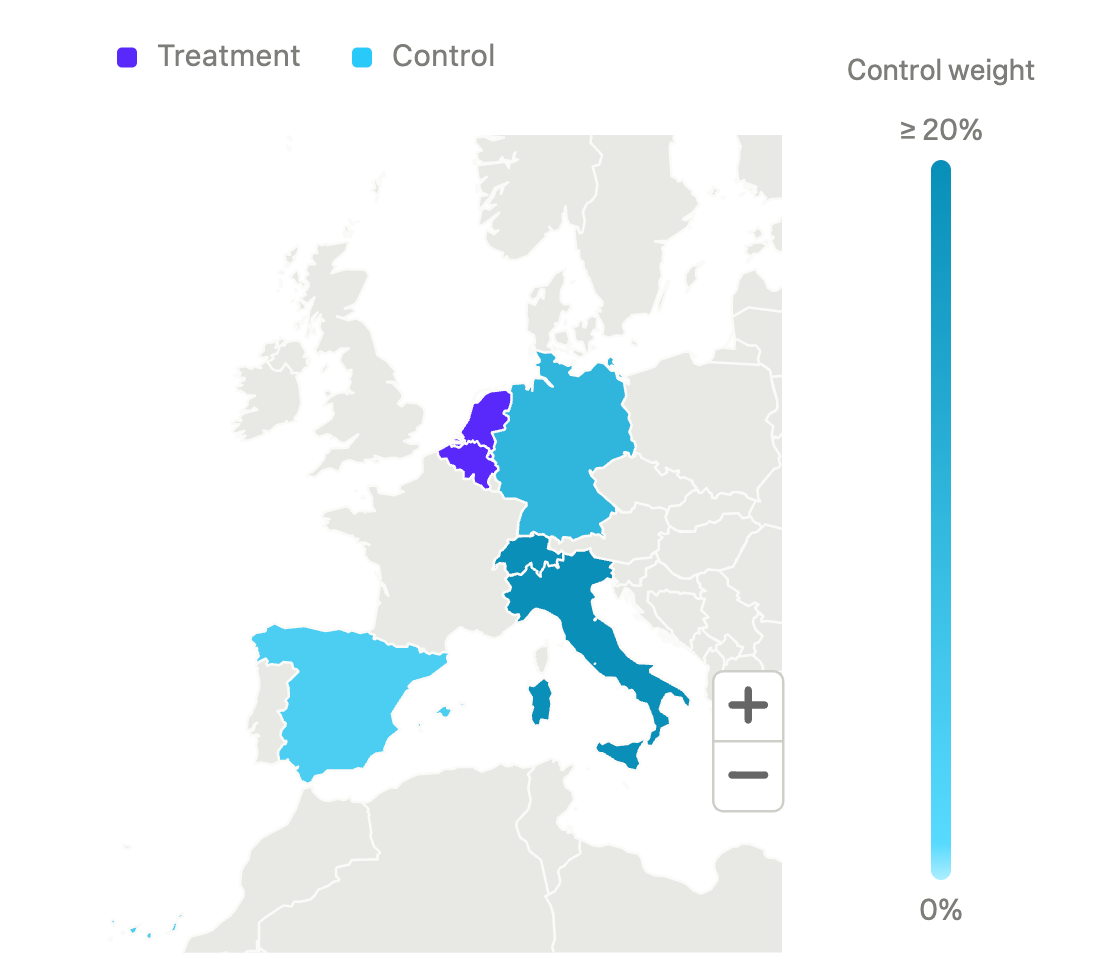
Incrementality experiments are no longer limited to one treatment country. When you create an experiment, you can now pick several. Country tests can give cleaner results than region tests in certain cases. Ads don’t leak across borders the way they do between regions, and national sales volume makes lift easier to see. The results line up with how you already budget and report. They also work in markets where one city dominates, where a region test can’t find a fair control group.

Build Meta campaigns from the conversation

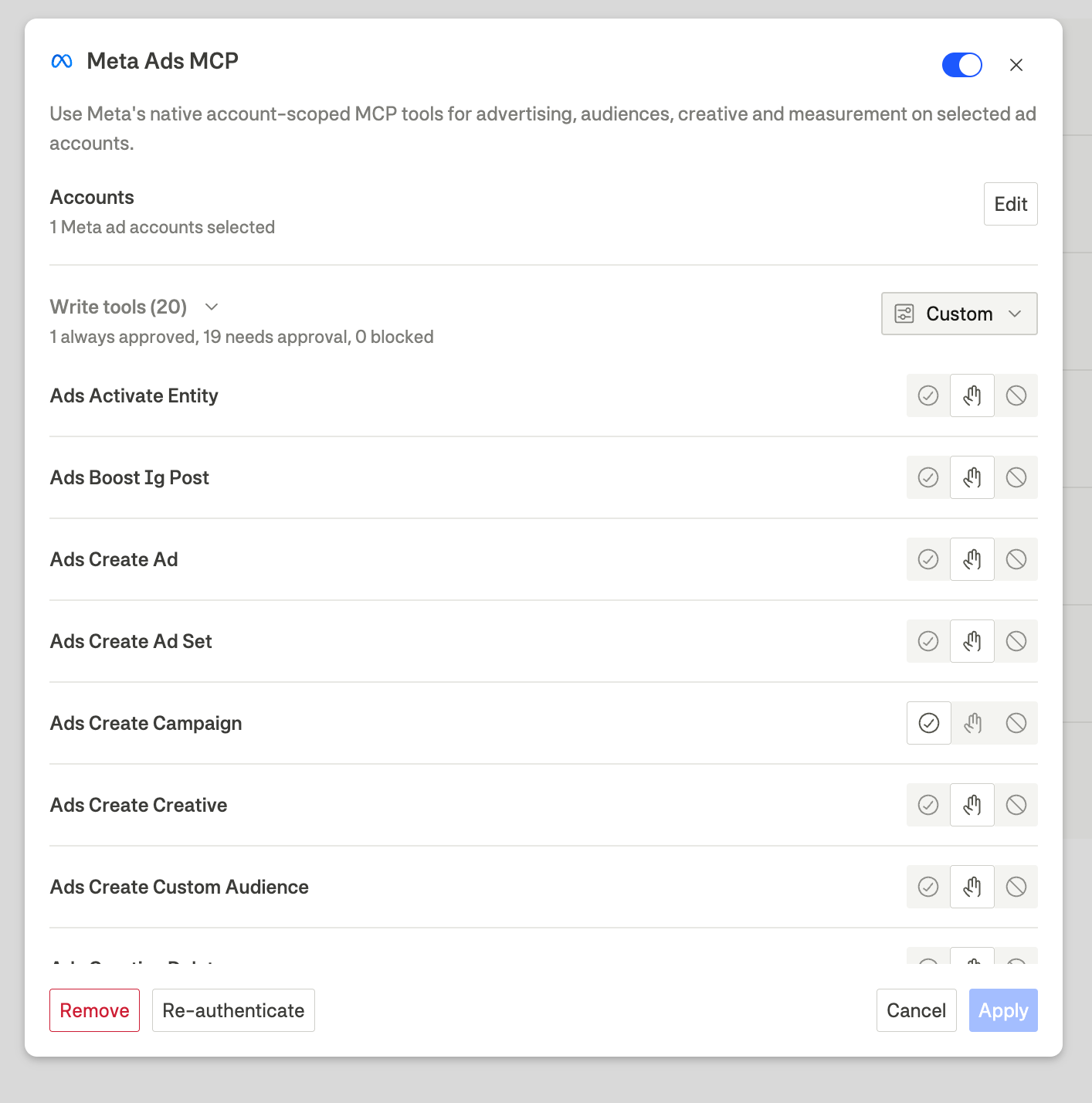
Agents using the Meta Ads integration can now create and update campaigns, ad sets and ads, and upload the images for your creatives, so a campaign can go from brief to built without leaving the chat. New campaigns, ad sets, and ads are created paused. Nothing goes live until it is switched on, and you can keep the integration's write tools on ‘Needs approval’ if you want to see each change first.

Set the schedule, then close the tab

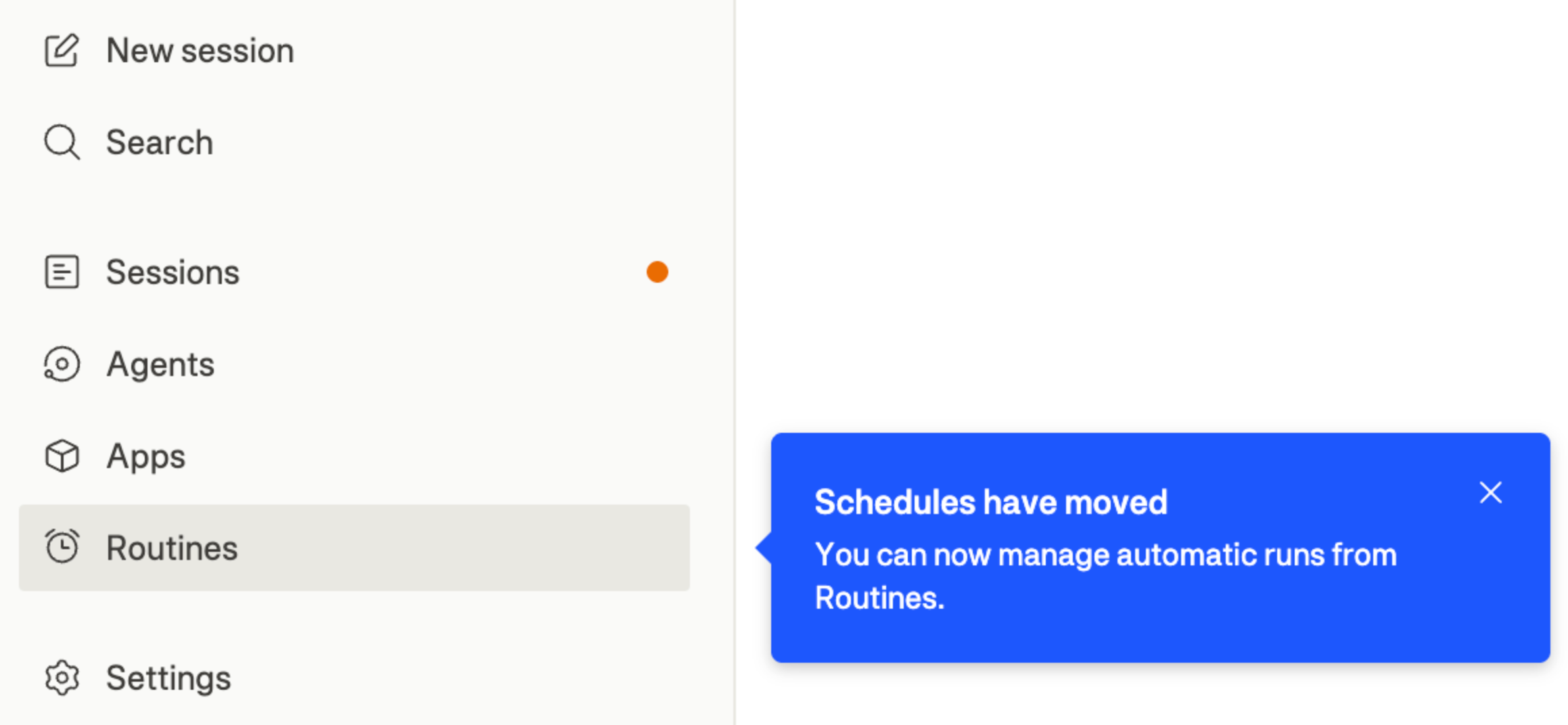
Your schedules have a home of their own

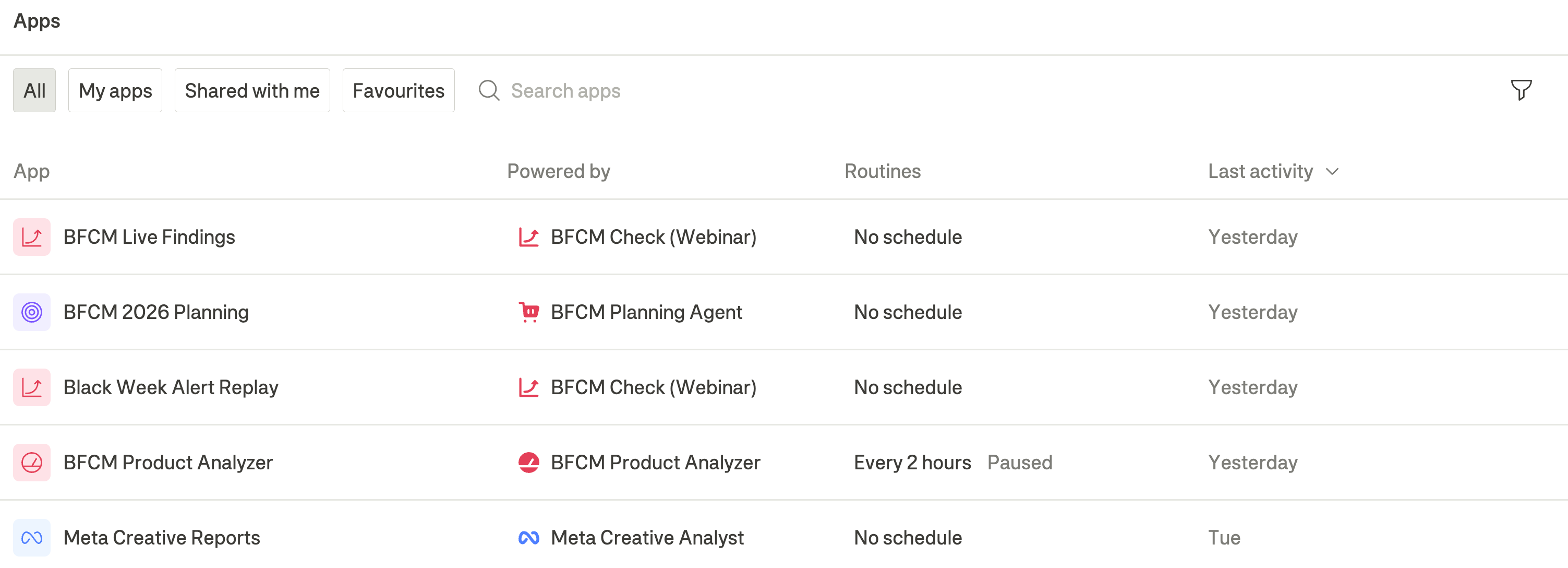
Scheduling an agent used to sit behind a button on the agent page. That button now takes you to Routines, a page where your scheduled work lives together.

A routine runs a task automatically on a daily or weekly schedule. Use routines for work that should happen consistently, such as reviewing stock every morning, updating a performance app each day, or preparing a channel summary every Monday. The full walkthrough is in the routines guide.

Hand an agent to someone else

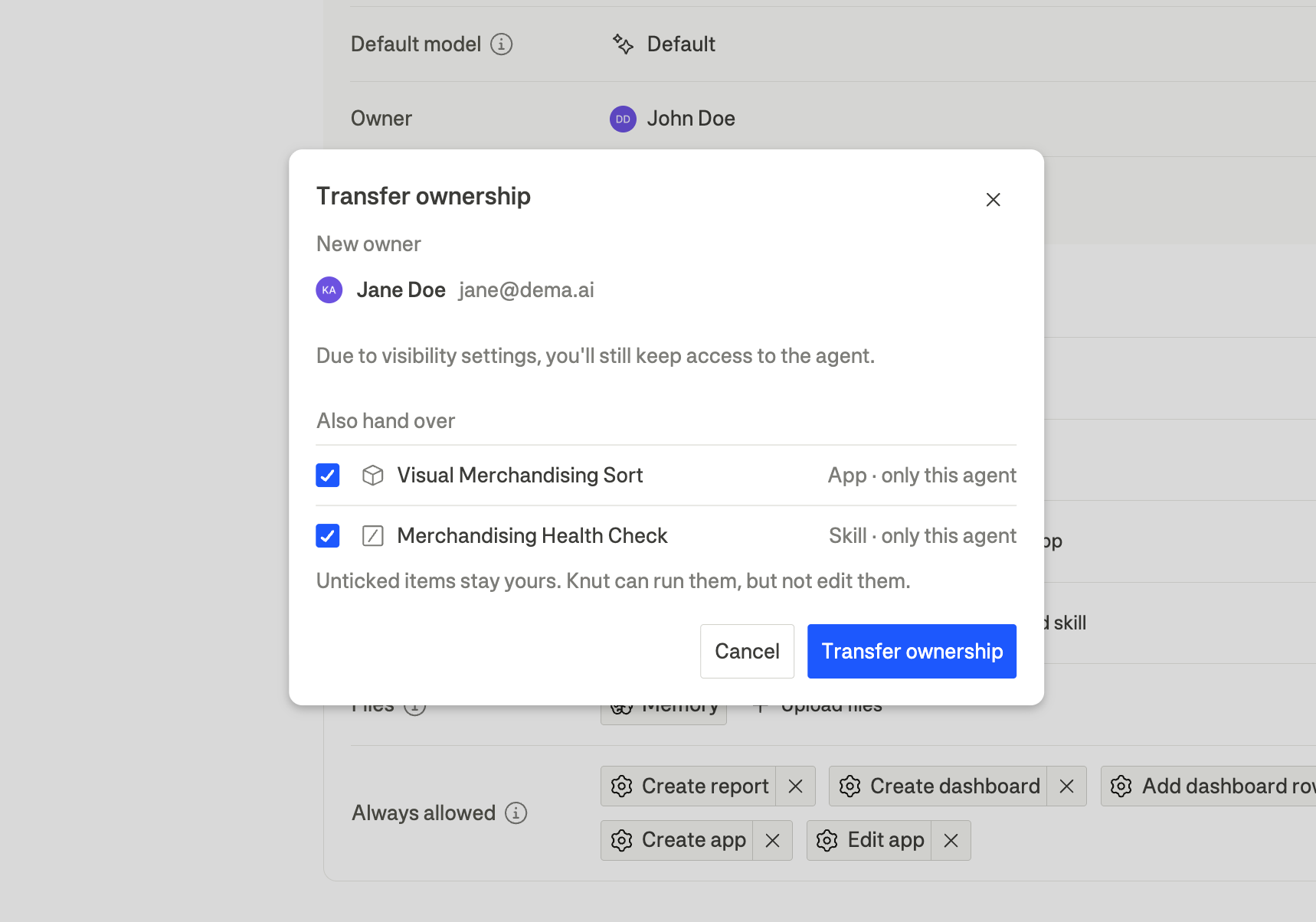
Agents and apps can now change owner. Click the owner's name on either one, pick a colleague from the dropdown, and it's theirs.

The useful part is what travels with it. Agents rarely stand alone: they carry skills and apps, and some of those are shared with other agents. The transfer dialog lists everything linked to the agent and lets you decide what moves. Skills and apps that only this agent uses are ticked already, so for most handovers you can accept what's there and confirm. For an agent that shares its skills more widely, you get to choose who ends up owning what.

Tell each integration what it may read and what it may change

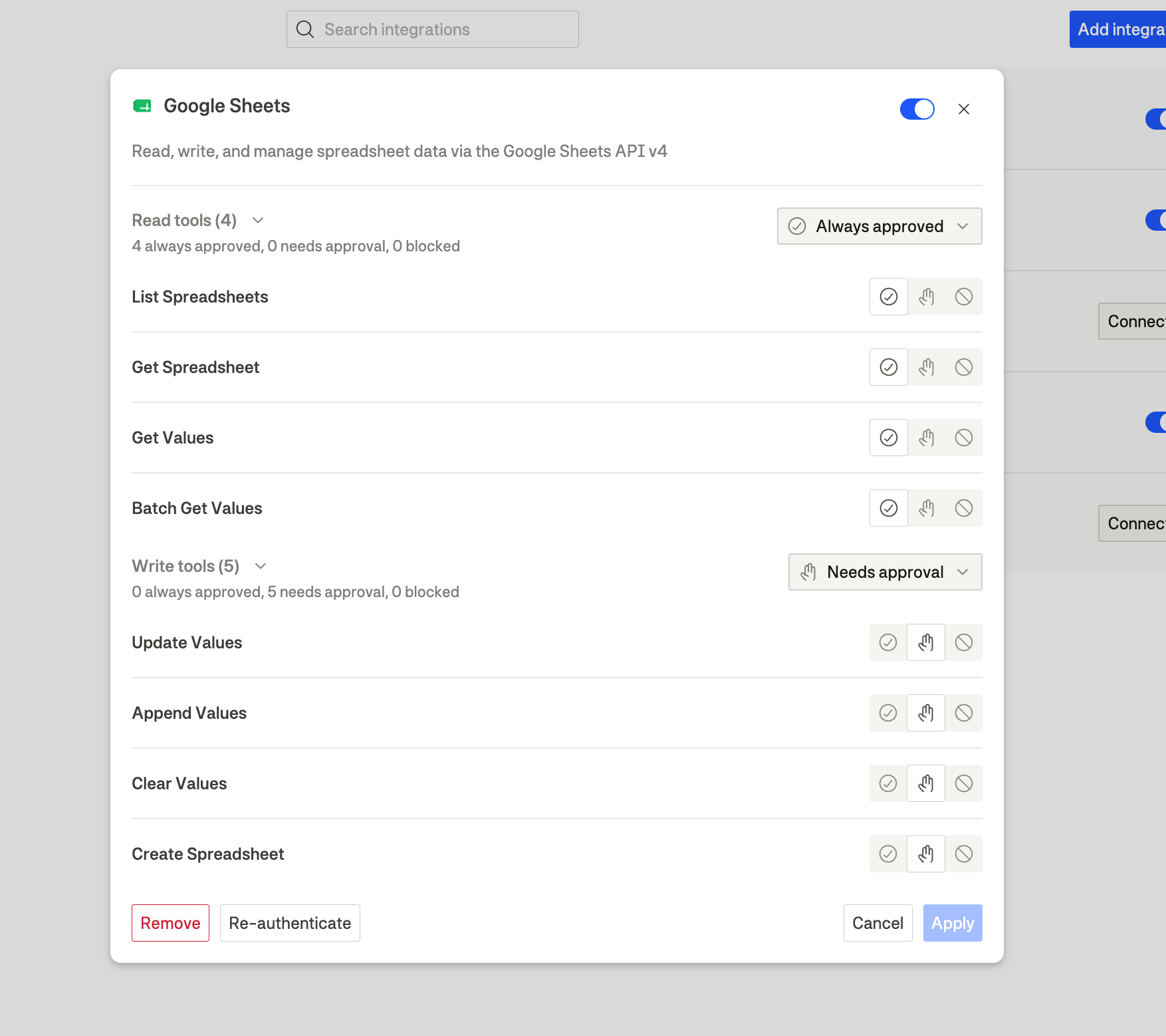
An agent's integrations now separate the tools that read your data from the tools that change it. Open a connection, and you get Read tools and Write tools as two sections, each with its own count and permission summary, so you can tell at a glance whether something can only look at your ad accounts or can also spend from them.

Each section has a dropdown that scopes every tool inside it at once: Always approved, Needs approval, or Blocked. Individual tools can still differ, and the section then reads Custom. Tool names are now also spelled out in plain language.

See how each app stays up to date

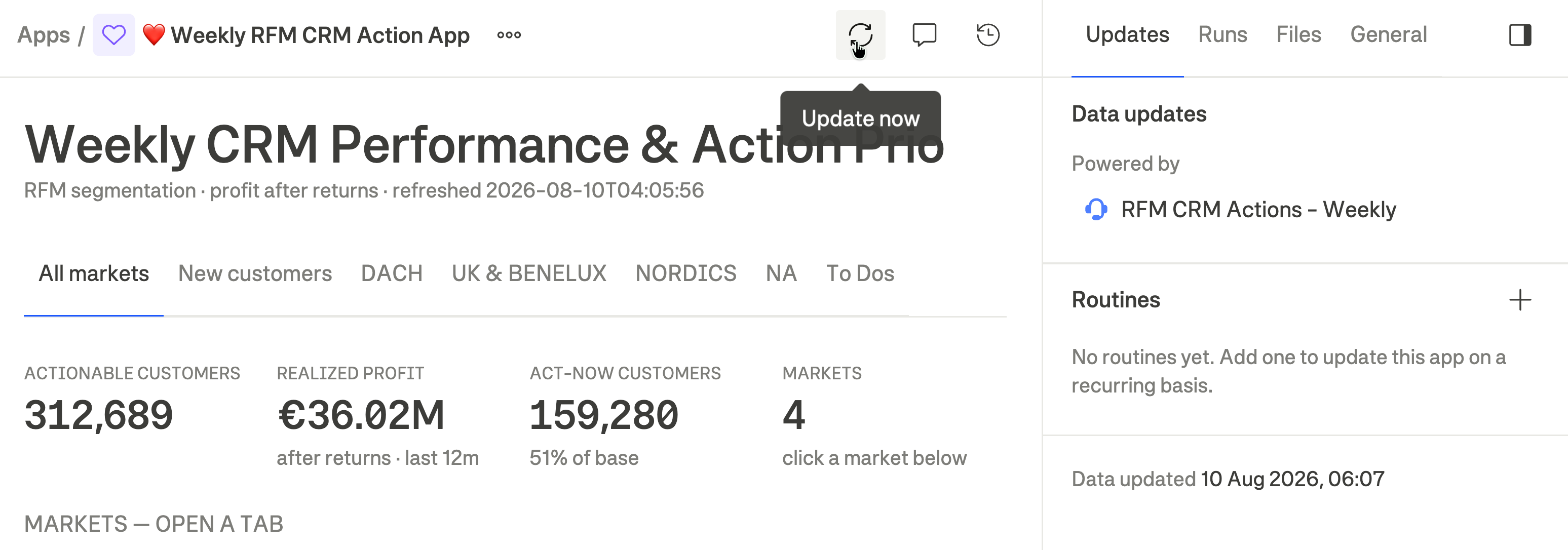
You can now see exactly how an app gets fresh data. Open any app, and the Updates tab names what powers it, the agent or skill behind it, along with when its data was last refreshed and when the next refresh is due. What used to be Runs is now History.

Update now appears only when it will actually do something. For an app driven by an agent, choosing it opens the conversation that does the work. For an app that fetches live data itself, the figures refresh in place, and you stay where you are. Where an update isn't possible, the tab explains why rather than leaving you with a greyed-out button.

Which updater an app uses is the decision of the agent that built it, since it depends on what that app's data needs. If you want it changed, ask for it in the conversation.

Two more integrations

Microsoft Business Central joins the agent integration catalogue. Microsoft's ERP covers accounting, inventory, orders, and fulfilment, so your agent can reason about stock and financials alongside the marketing data it already sees. Access is read-only. Setup is in the Business Central guide.

Klaviyo now sets up like any other connection. Add it from Integrations under Settings, enter a private API key, and the segment export runs from there. It follows Voyado, which became self-serve in August.

A conversation you can actually read

Agent conversations now render at a reading size rather than the size the rest of the interface uses for dense controls. Answers and your own messages step up from 13 to 15 pixels, and headings follow a ramp built for prose, so a heading never comes out smaller than the paragraph it introduces.

Code is more consistent as well. A tool card used to mix two monospace typefaces across three sizes, and input, output, and diffs now share one. Inline code scales with the surrounding text, while fenced blocks stay fixed, since a block is its own surface rather than part of a sentence.

The right-hand panel got the same attention. Section headings collapse now and remember what you left open.

Earlier updates